The post went live and the API never noticed
I built a cognee connector that turns any WordPress site into a knowledge graph you can ask questions, and keeps it in sync. WordPress has no change feed, and the one filter it does have misses scheduled posts, deletions and anything off by a timezone.
- wordpress
- knowledge-graph
- cognee
- python
- open-source
- rag
- rest-api
A lot of company knowledge lives on WordPress. The engineering blog, the docs site, release notes going back a decade. WordPress search is keyword-only, and it has no idea how one post relates to another. "Which release introduced this, and who wrote about it?" isn't a question it can answer.
This is my second connector for cognee during the same hackathon. The first one was for MediaWiki, and the lesson from it was that ingesting is the easy part and staying in sync is the real job.
WordPress made that lesson harder. MediaWiki at least has a feed of every change. WordPress doesn't have one.
WordPress REST API — the JSON API every WordPress site has exposed since 4.7, usually at
/wp-json/wp/v2/. Posts, pages, comments, categories and custom post types are all listed there.
Application Password — a per-app password a WordPress user creates under Users → Profile, so a script can read private content without the account's real login.
One category, one question
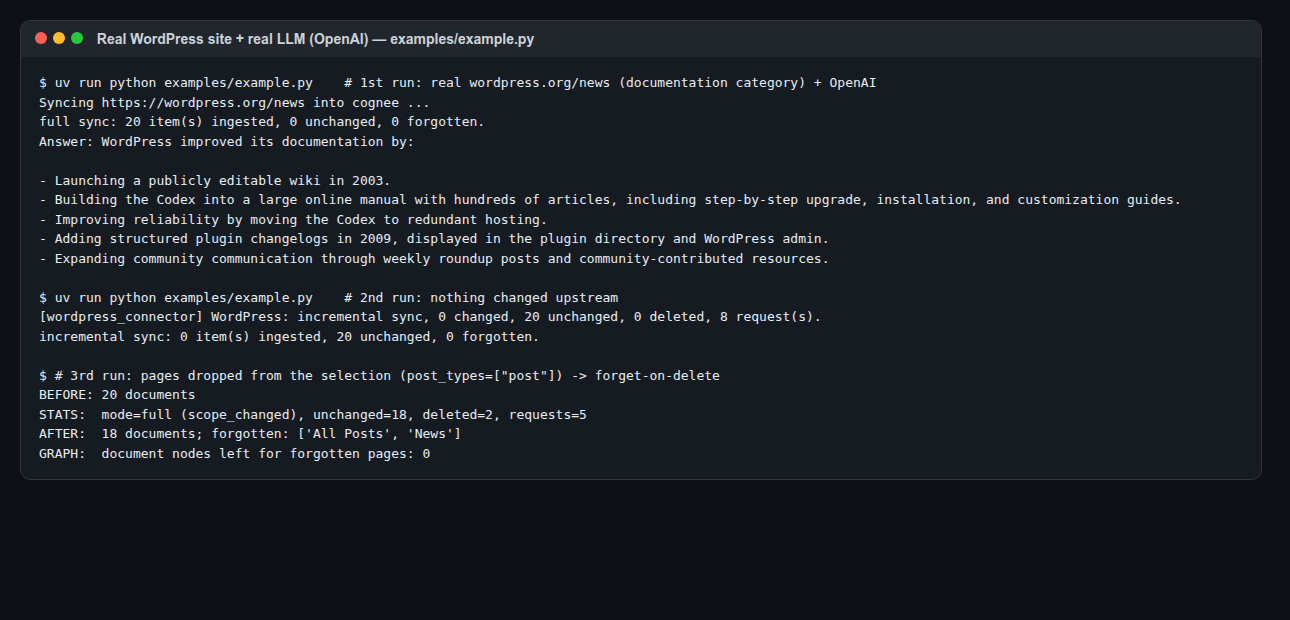
The demo site is wordpress.org/news, the official WordPress blog, about 1,100 posts. I narrowed it to the documentation category: 18 posts and 2 pages. Then I asked it something no single post answers.
import cognee
from cognee_community_connector_wordpress import wordpress_source

await cognee.remember(
    wordpress_source("https://wordpress.org/news", categories=["documentation"]),
    dataset_name="wordpress",
    primary_key="id",
    write_disposition="merge",   # incremental upsert by post id
    max_rows_per_table=0,
)

results = await cognee.recall(
    "How has WordPress improved its documentation over the years?",
    datasets=["wordpress"],
)
The answer, built from the ingested posts:
WordPress improved its documentation by:
- Launching a publicly editable wiki in 2003.
- Building the Codex into a large online manual with hundreds of articles, including step-by-step upgrade, installation, and customization guides.
- Improving reliability by moving the Codex to redundant hosting.
- Adding structured plugin changelogs in 2009, displayed in the plugin directory and WordPress admin.
- Expanding community communication through weekly roundup posts and community-contributed resources.
That spans six years of posts by different authors. Keyword search would find you "documentation" in all 18. It wouldn't put them in order.
Private posts need an Application Password (username= and application_password=). Custom post types such as WooCommerce products or event listings are one argument: post_types=["post", "page", "product"].
What actually goes into the graph
One document per post, page or custom item. Each has the content as markdown-style text, the author, dates, categories, tags, any custom taxonomies, and approved comments, because the comments on a release post are often where the real answer is.
Finding the API sounds trivial and isn't. The connector takes only the site URL and tries, in order:
| Where it looks | Why |
|---|---|
/wp-json/ |
the normal path on most self-hosted sites |
?rest_route= via the Link header |
sites without pretty permalinks, where /wp-json/ 404s |
public-api.wordpress.com/wp/v2/sites/<site>/ |
WordPress.com, where example.wordpress.com/wp-json/ returns nothing |
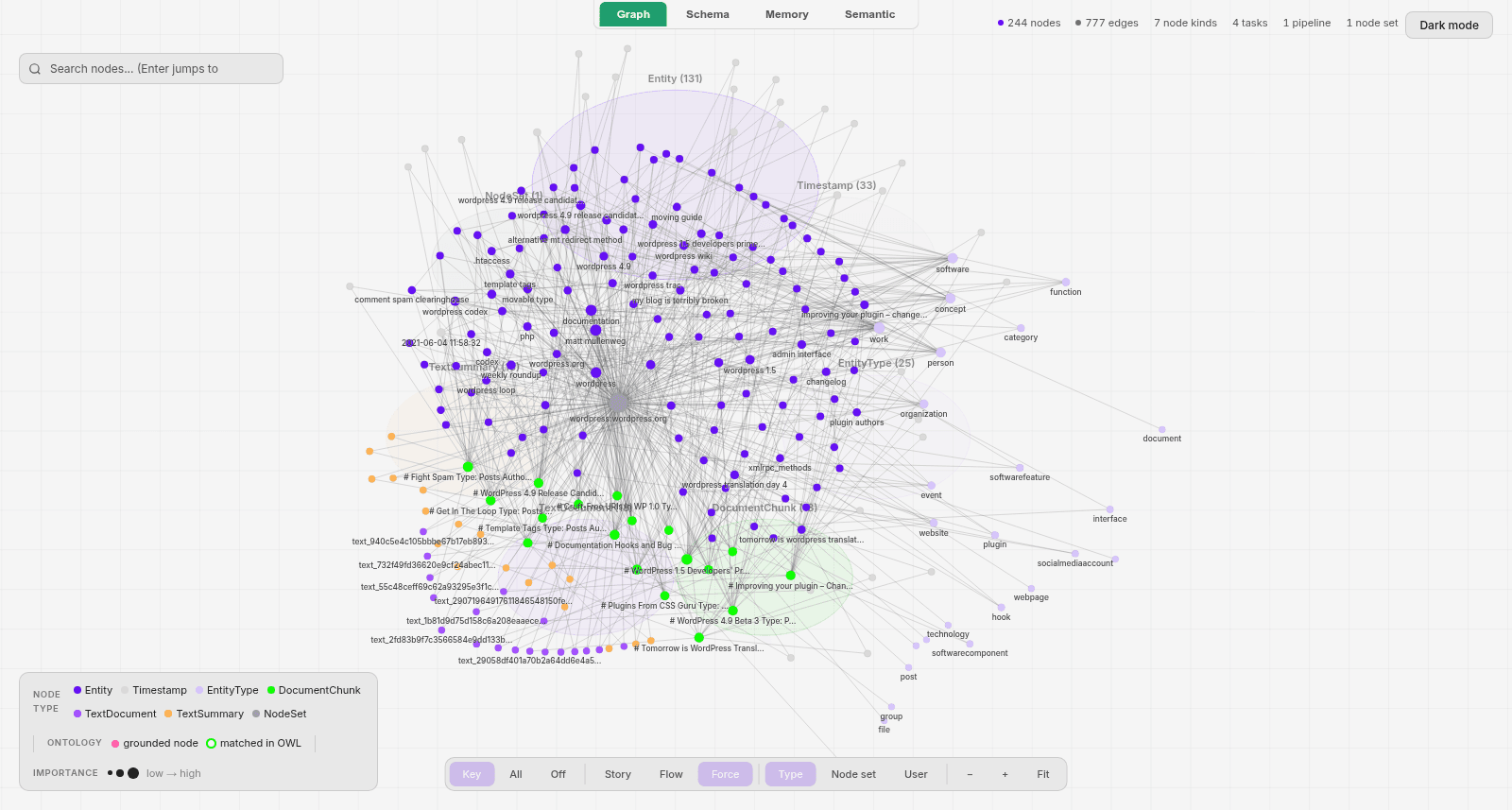
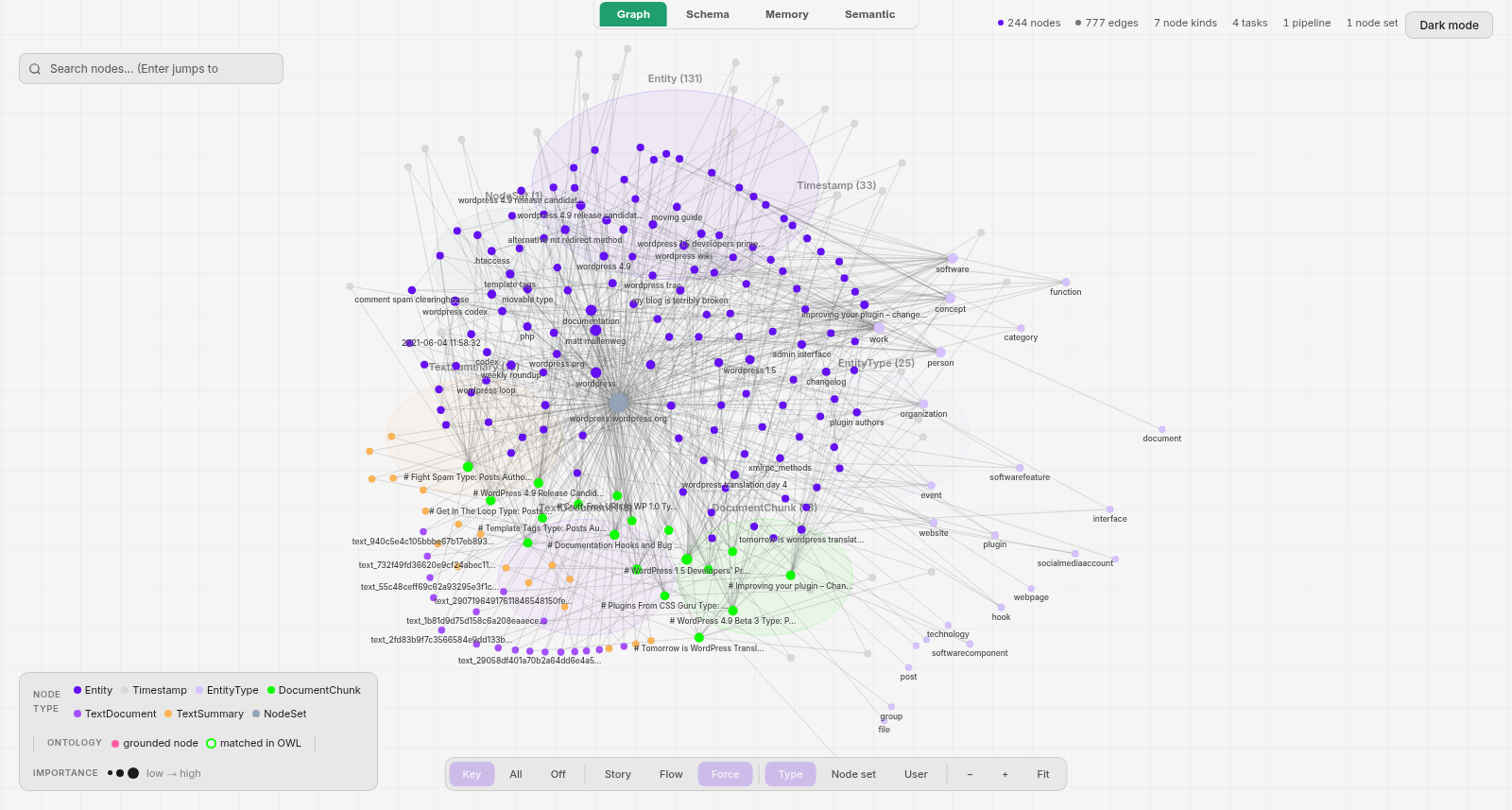
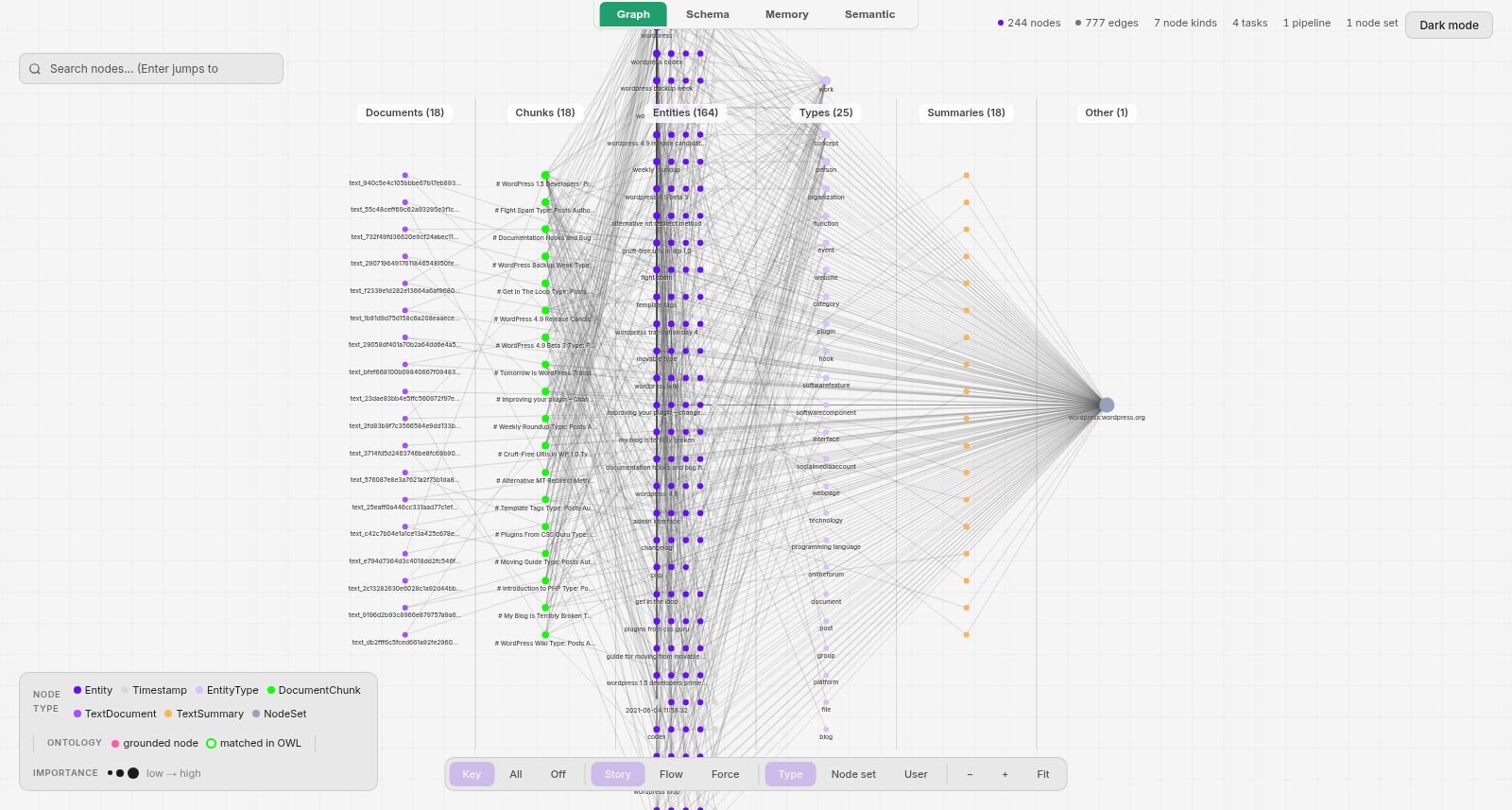
The graph for those 18 posts: 244 nodes, 777 edges. The pipeline view shows how it builds up.
The cursor I trusted
The obvious sync plan: remember when the last run happened, ask for modified_after=<that time>, re-ingest whatever comes back. I'd have shipped it. Then I tested it against a real site and it was wrong in three different ways.
It's off by a timezone
modified_after is compared against WordPress's post_modified column. That column is in the site's local time, not UTC. A timestamp with an explicit Z or +00:00 gets converted correctly. A naive one is read as local time.
My test site was set to Asia/Kolkata. With a naive UTC cursor:
cursor sent:    2026-10-08T10:00:00       (meant as UTC)
read by WP as:  2026-10-08T10:00:00+05:30  = 04:30 UTC
error:          5 h 30 min early
So it returned a post it shouldn't have. On a site west of UTC, the same mistake goes the dangerous way: the cursor lands after real edits, and modified_after never returns them. The fix is one line, always send UTC with an explicit offset, and there's a test called test_modified_after_is_sent_in_utc_with_an_explicit_offset so it stays that way.
Scheduled posts never move
This is the one in the title. In the editor, you write a post, save it, and schedule it for Friday. On Friday, WordPress flips its status to published. It does not touch post_modified.
I checked this on a live site. The scheduled post went live with modified_gmt still at the moment it was scheduled, which was before my last sync. modified_after=<last sync> returned []. The post was public, and the connector couldn't see it.
Deletions don't show up anywhere
A trashed or deleted post just stops appearing in the list. Nothing says it went away. And if you're syncing anonymously, you can't even ask:
| Request | Response |
|---|---|
GET /posts?status=trash (anonymous) |
400, "Status is forbidden" |
GET /posts/<trashed id> (anonymous) |
401 |
GET /posts/<deleted id> |
404, rest_post_invalid_id |
The fix for all three: a cheap sweep
What works for everyone, with or without a password, is listing the ids you're allowed to see. ?_fields=id,modified_gmt returns two fields per post instead of the full content, 100 at a time. For all of wordpress.org/news that's about 11 requests (my arithmetic, 1,100 posts at 100 per page), and for a category of 20 it's one.
Every run diffs that list against what the connector holds:
- An id it hasn't seen (or one whose
modified_gmtdisagrees) is fetched directly. That's how the scheduled post got caught:fetched_by_id=1. - An id that's gone is a deletion, a trash, an unpublish, or a post that left the selected category. All four become a tombstone.
modified_after still does the heavy lifting for normal edits. The sweep catches what it can't see.
Pagination can lie
One more trap, inside the sweep itself. WordPress pages with offsets. If a post is deleted while you're on page 3, everything after it shifts left by one, and the first post of page 4 slides onto page 3, which you've already read. You never see it.
A naive sweep would call that post deleted and forget it. So before anything is tombstoned, the connector asks for each vanished id by id. If it's still there, it's kept. There's a test for exactly this, test_vanished_id_is_confirmed_before_it_is_forgotten.
Forgetting is part of the sync
If a post is deleted on the site, it should disappear from the graph too. Otherwise you get a confident answer from a post someone took down because it was wrong.
Here are three real runs against wordpress.org/news. The third drops pages from the selection (post_types=["post"]):
| Run | What happened |
|---|---|
| 1st | full sync, 20 items ingested, about 1.5 minutes, correct answer |
| 2nd (nothing changed) | incremental, 0 re-ingested, 8 requests, about 40 s |
| 3rd (pages dropped) | 2 forgotten (All Posts, News), 18 untouched, 0 graph nodes left for them |
The second run matters most. Nothing changed upstream, so cognee extracted nothing. Eight HTTP requests, no LLM calls.
The ones that only show up on real sites
Those got the sync correct. These are what broke it on sites that weren't mine.
One password-protected post breaks a whole comments query. Asking anonymously for /comments?post=1,2,3 returns 401 rest_cannot_read_post if any of those posts is password-protected. You lose the comments for all three. The connector splits the batch in half until the protected post is on its own, then skips it.
A wrong Application Password doesn't fail. WordPress silently serves the request as anonymous. You get public posts only, or a confusing "Status is forbidden", and a sync that looks like it worked. So every run starts by calling users/me. A bad password becomes a clear WordPressAuthError (401), with no secret in the message.
Site-wide anything doesn't finish. My first version swept comments across the whole site. On a WordPress.com blog with hundreds of thousands of comments, it never finished. Now it reads comments only for the posts being synced.
"Short page means last page" isn't true. Some hosts cap per_page below 100, so a page of 50 doesn't mean you're done. Paging trusts the X-WP-TotalPages header instead.
On WordPress.com (en.blog.wordpress.com, read-only), a full sync took 7 requests and an incremental one 6.
Testing it against a real WordPress
A fake API behaves however I imagined WordPress behaves, which was the problem in the first place. So I ran a disposable WordPress 6.9 in Docker with the site timezone set to UTC+5:30 on purpose, changed it between syncs through the REST API and wp-cli, and checked each result:
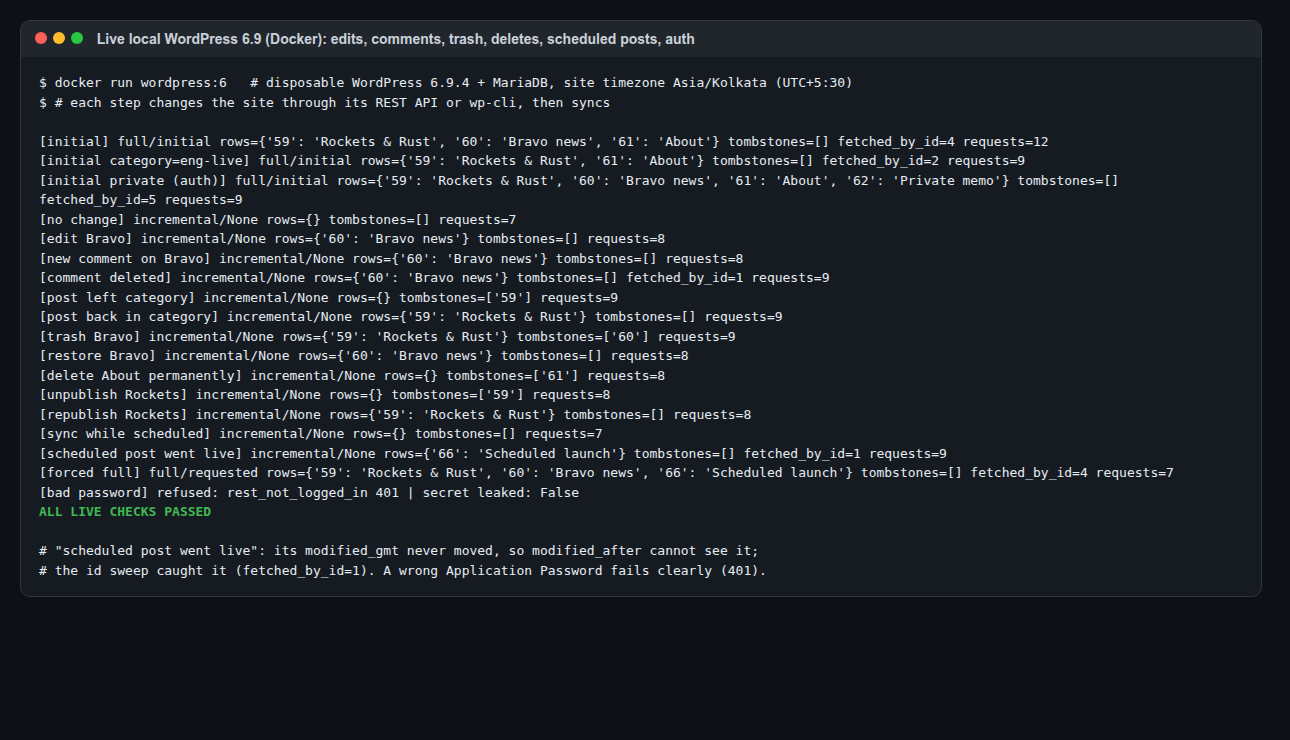
Edit, new and deleted comments, leaving and rejoining a category, trash and restore, permanent delete, unpublish and republish, a private post behind an Application Password, a password-protected post skipped, the scheduled post going live, a forced full sync, and a wrong password refused. All passed. A run where nothing changed costs 7 requests.
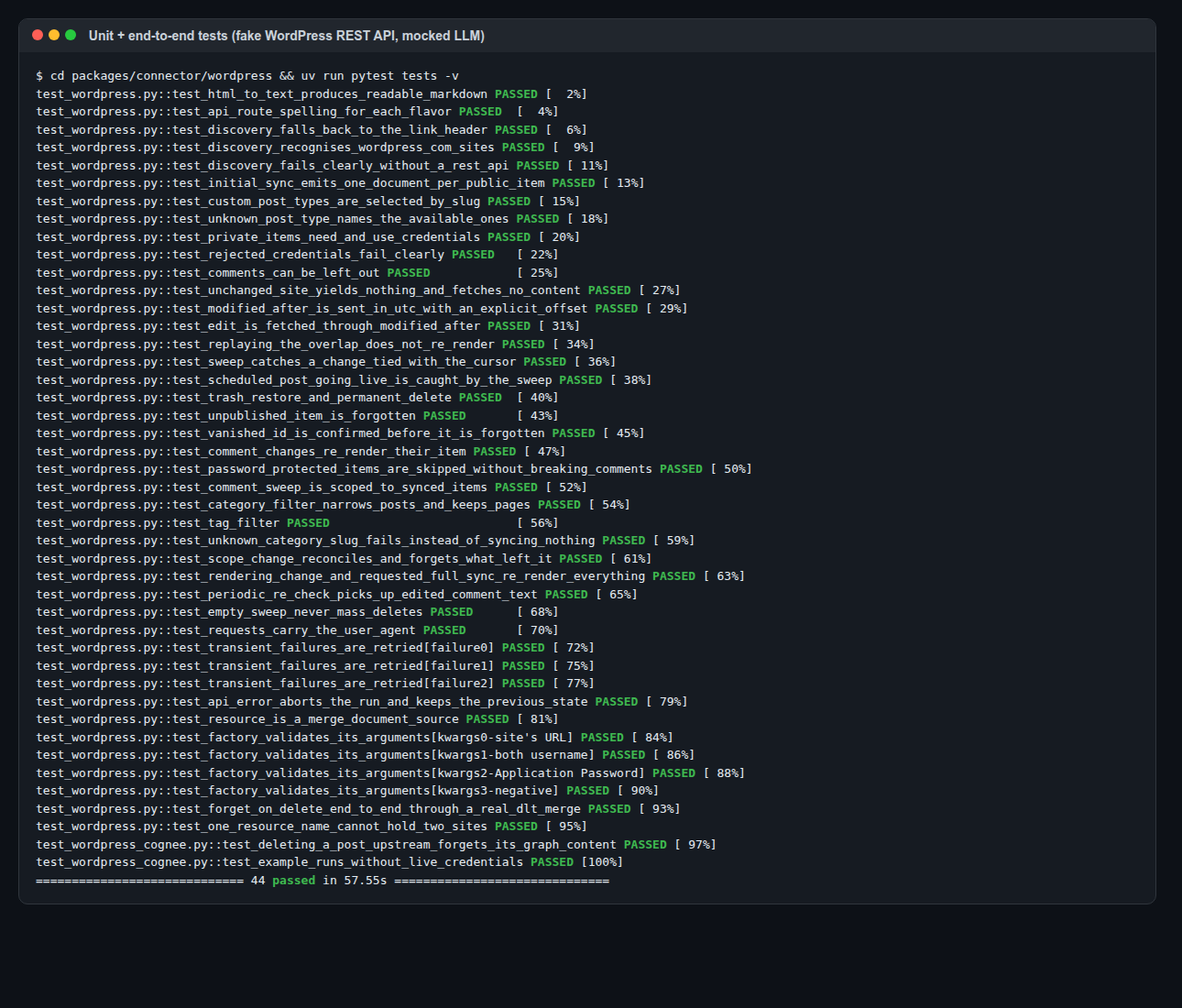
The package has 44 tests: a fake REST API that reproduces every live behaviour above, a real dlt merge, and a cognee end-to-end test where deleting a post upstream removes its entity from the graph.
What I'd tell myself before starting
MediaWiki taught me not to trust a change feed exactly. WordPress taught me that sometimes there's no feed to trust. A "changed since" filter only sees what the server chose to record as a change, and publishing a scheduled post, trashing one, or deleting one isn't recorded that way.
Every fix here has the same shape: when you can't tell what changed, look at the cheapest full picture you can get (a list of ids and dates) and compare it to what you already have. Then double-check before deleting anything.
If you keep one thing
A modified_after filter only tells you about edits the server chose to record, so a sync you can trust also needs a cheap list of everything that's still there.
Try it
- PR: topoteretes/cognee-community#303
- Issue: topoteretes/cognee#4789
- Code:
packages/connector/wordpress/in cognee-community, with a runnableexamples/example.py - The sibling posts: the MediaWiki connector and the Wikidata connector
- More of my open-source work: /open-source
Sources
- My own runs: the real wordpress.org/news documentation category with OpenAI, en.blog.wordpress.com read-only, a local WordPress 6.9 in Docker set to UTC+5:30, and the package's test suite. Every number in this post comes from those, except the ~11-request sweep estimate for the full blog, which is my arithmetic.
- The timezone, scheduled-post, trash and password-protected comment behaviours were each reproduced on a live site, not taken from the docs.
- WordPress REST API handbook, especially Posts (
modified_after,_fields) and Pagination (X-WP-TotalPages). - cognee and cognee-community.